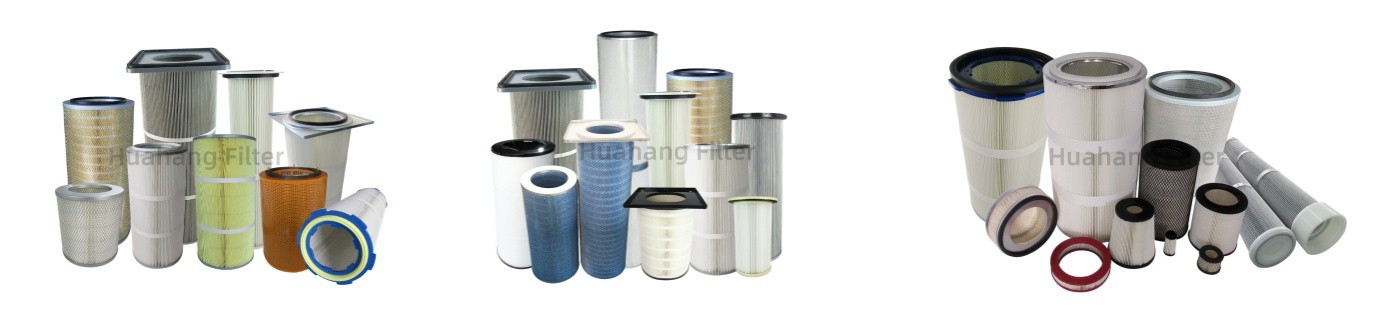
Why Filter Cartridge Maintenance Matters
Ignoring your dust collector filter cartridge is a costly mistake. A neglected cartridge leads to:
- Higher pressure drop – Your fan works harder, consuming more energy.
- Reduced airflow – Capture hoods lose suction, allowing dust to escape.
- More frequent cleanings – Pulse-jet systems cycle more often, wearing out valves and diaphragms.
- Premature cartridge failure – You'll replace expensive cartridges months before you should.
On the flip side, a well-maintained cartridge can last 2–3 times longer, cut energy bills by 15–30%, and keep your facility running clean.
Understand Your Cleaning System (And Use It Correctly)
Most industrial dust collectors use reverse pulse-jet cleaning – a burst of compressed air that blows through the cartridge from the inside out, knocking off accumulated dust cake.
Key maintenance steps:
- Set the right pulse pressure. Too low, and it won't clean effectively. Too high, and you risk damaging the media or pleats. Typically 60–90 psi (4–6 bar) is safe for polyester/cellulose media. Check your cartridge manufacturer's recommendation.
- Adjust pulse timing. Don't let the cartridge load up too much between pulses. A differential pressure gauge (ΔP) tells you when to pulse. Most systems clean automatically at a set ΔP (e.g., 1.5–2.0 inches of water column above baseline).
- Inspect pulse valves and diaphragms. Sticky valves or worn diaphragms cause uneven cleaning. Replace them proactively every 12–24 months.
Pro tip: Install a differential pressure gauge with a high-pressure alarm. It's the single best tool for knowing when your cartridges need attention.
Monitor Differential Pressure (ΔP) – Your Early Warning System
ΔP is the resistance to airflow across the filter. A clean cartridge has a low ΔP (typically 0.5–1.0″ w.c.). As dust builds up, ΔP rises.
What to watch for:
- Sudden ΔP spike – Could indicate a torn cartridge, a collapsed pleat, or a cleaning system failure. Investigate immediately.
- Gradual ΔP rise over weeks – Normal dust loading. The automatic pulse should keep it stable.
- ΔP that won't drop after pulsing – Cartridge may be blinded by sticky dust, moisture, or oil. Time for manual cleaning or replacement.
- ΔP that keeps creeping higher after each cleaning cycle – The media is nearing the end of its life. Plan for replacement.
Action step: Log ΔP readings weekly. You'll spot trends before they become problems.
Manage Moisture and Humidity
Moisture is the enemy of most filter media. Wet dust cakes hard, blinding the cartridge and making pulse cleaning ineffective.
Prevention strategies:
- Drain compressed air lines daily. Water in the pulse air system will be blown directly into the cartridges.
- Install a dryer or coalescing filter on the pulse air supply. This removes oil and water vapor.
- Insulate the collector housing if it's outdoors or in a cold environment. Condensation forms when warm, moist air hits cold metal.
- Use hydrophobic (water-repellent) media if your process generates wet dust or if the collector is in a high-humidity area.
If your cartridges already show signs of moisture blinding (hard, caked dust that won't pulse off), you may need to remove them and dry them manually. But prevention is far easier.
Avoid Common "Killer" Contaminants
Some substances destroy filter cartridges quickly. Know what's in your dust stream.
Watch out for:
- Oily or tacky dust (from machining coolants, resin handling, or food processing). It binds to media and cannot be pulsed off. Consider using oil- and water-resistant (oleophobic) PTFE-coated cartridges.
- High-temperature dust (e.g., welding fume, hot exhaust). Standard polyester melts around 135°C (275°F). Switch to high-temperature media (Nomex, fiberglass, or PTFE) if your process exceeds that.
- Abrasive dust (sandblasting, mineral processing). It erodes media fibers over time. Heavier media or sintered metal cartridges may be needed.
- Fine, hygroscopic dust (sugar, salt, certain chemicals). It attracts moisture and forms a hard crust. Use pulse-jet cleaning with higher pressure and more frequent cycles.
Action step: Send a dust sample to your filter supplier. They can recommend the right media for your specific contaminant.
Manual Cleaning – When and How
Even with good pulse-jet cleaning, some dust will remain embedded. Periodic manual cleaning can extend cartridge life.
Methods (from least to most aggressive):
- Low-pressure compressed air (≤30 psi) – Blow from the clean side outward. Use a nozzle and work slowly across the pleats. Wear a respirator.
- Vacuuming from the dirty side – For light dust. Be careful not to damage pleats.
- Water washing – Only for cartridges specifically rated as washable (e.g., some synthetic or PTFE media). Use low-pressure water, mild detergent, and air-dry completely for 24–48 hours before reinstalling.
- When to avoid manual cleaning: If the media is paper/cellulose, if the dust is hazardous (lead, silica, beryllium), or if the cartridge has visible tears or holes. Just replace it.
Know When to Replace – Don't Wait Too Long
Pushing a worn-out cartridge beyond its useful life costs more than replacing it. Signs you need new cartridges:
- ΔP stays high (>4–6″ w.c.) even after pulsing and manual cleaning.
- Visible dust bypass – Dust accumulating on the clean side of the housing.
- Media damage – Tears, holes, or collapsed pleats.
- Structural failure – End caps loose, gaskets cracked, or cage rusted.
- Increased energy bills – Your fan is working overtime to pull air through clogged filters.
- Keep a spare set on hand. Downtime waiting for replacements is expensive.
Keep Good Records
Simple documentation pays off.
- Label each cartridge position (A1, A2, B1…). This helps you track which zones fail first.
- Record installation date and expected life (based on manufacturer's rating).
- Note any abnormal events (water ingress, high temperature spike, dust overload).
- Track ΔP trends – A spreadsheet or a logbook works fine.
Over time, you'll learn exactly how long your cartridges last under your specific operating conditions. That allows you to schedule replacements proactively, not reactively.
FAQ
Q: How often should I replace my dust collector cartridges?
A: There's no universal answer. In light-duty applications (e.g., woodworking), cartridges may last 1–2 years. In heavy-duty applications (cement, mining, welding), expect 6–12 months. Monitor ΔP – when it no longer drops after cleaning, replace.
Q: Can I wash and reuse standard polyester fabric dust collector filter cartridges?
A: No. Most polyester/cellulose cartridges are not designed for washing. Water can damage the media, shrink it, or cause it to delaminate. Only use washable cartridges (e.g., PTFE membrane or sintered metal).
Q: Why does my ΔP go up right after a new set of cartridges is installed?
A: This is normal. New, clean cartridges have a slightly higher ΔP than old, worn-out ones because the old media may have stretched or developed micro-tears that allowed more airflow (and dust bypass). Give it a few days to stabilize.
Q: Does pulse-jet cleaning wear out cartridges?
A: Yes, but it's necessary. Every pulse flexes the media. Quality cartridges are designed to withstand hundreds of thousands of pulses. However, using excessively high pressure (over 100 psi) or pulsing too frequently will accelerate fatigue and cause pleat cracking.
Q: Can I use anti-static dust collector filter cartridges in a non-hazardous dust application?
A: You can, but it's usually unnecessary and more expensive. Anti-static cartridges are for combustible dusts (wood, grain, coal, aluminum, etc.) where static sparks could cause an explosion. For inert dust, standard media is fine.